Unifying campaign and survey tooling for clinical trial recruitment.
Three disjointed tools, one strategist workflow. Scope discipline, build-vs-buy on Survey Builder, and the case for sequenced release.
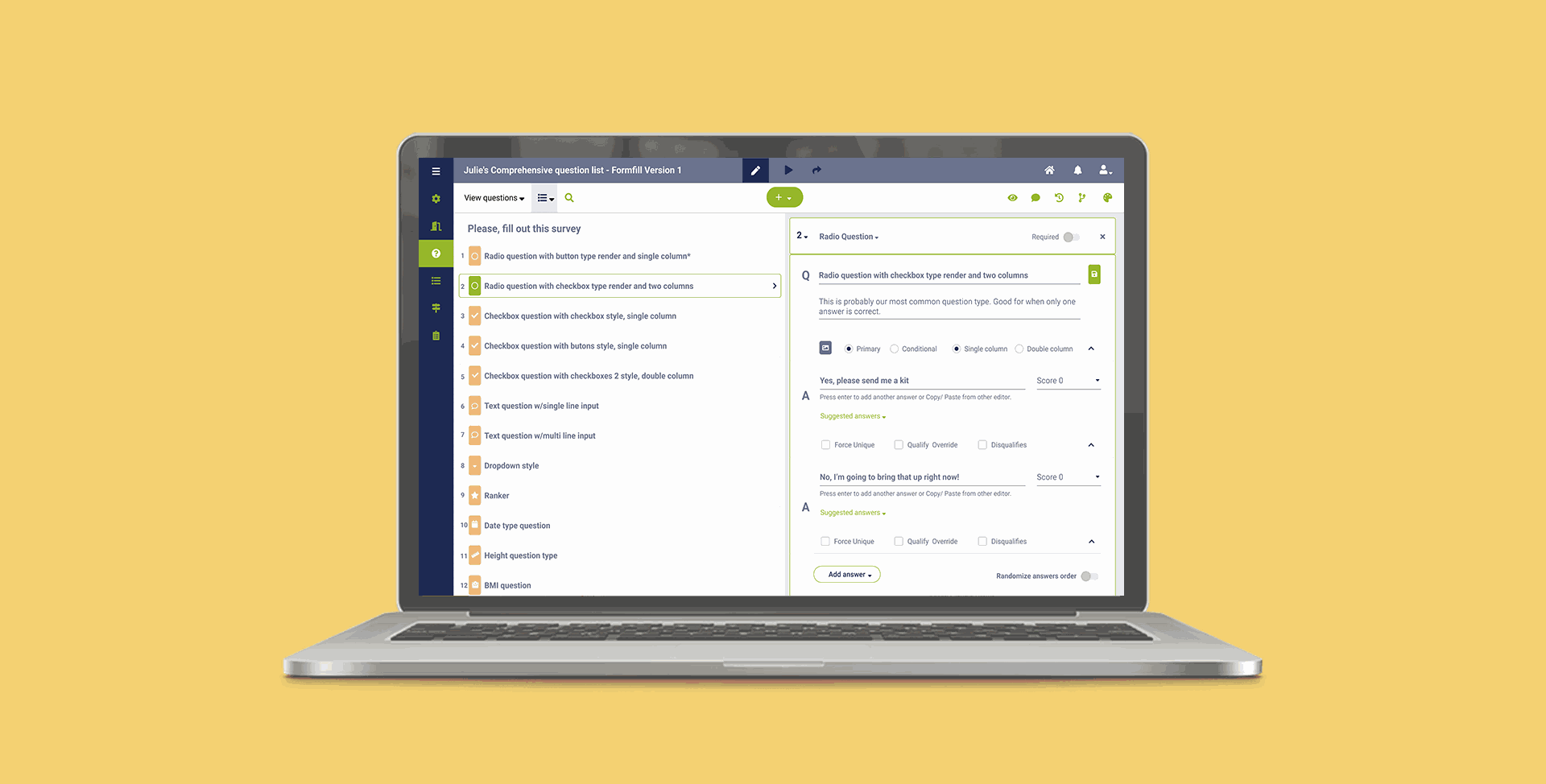
Survey Builder — question list on the left, contextual configuration on the right. Built around the way strategists actually compose surveys: iteratively, with frequent reuse and constant client back-and-forth.
83 Bar runs digital marketing campaigns to recruit patients into clinical trials. Strategists and analysts use a stack of internal tools to configure campaigns, build the surveys that qualify patients, and pass qualified leads to a downstream Call Center team. The tooling had grown up in pieces — Campaign Configuration, Campaign Builder, and Survey Builder each built at different times, with different layouts and conventions.
Collaboration features were missing across the board. Strategists were sharing screenshots in Slack and emailing clients PDFs to get approvals. My job was to reshape these three tools around how the work actually happened — collaboratively, iteratively, with constant client input.
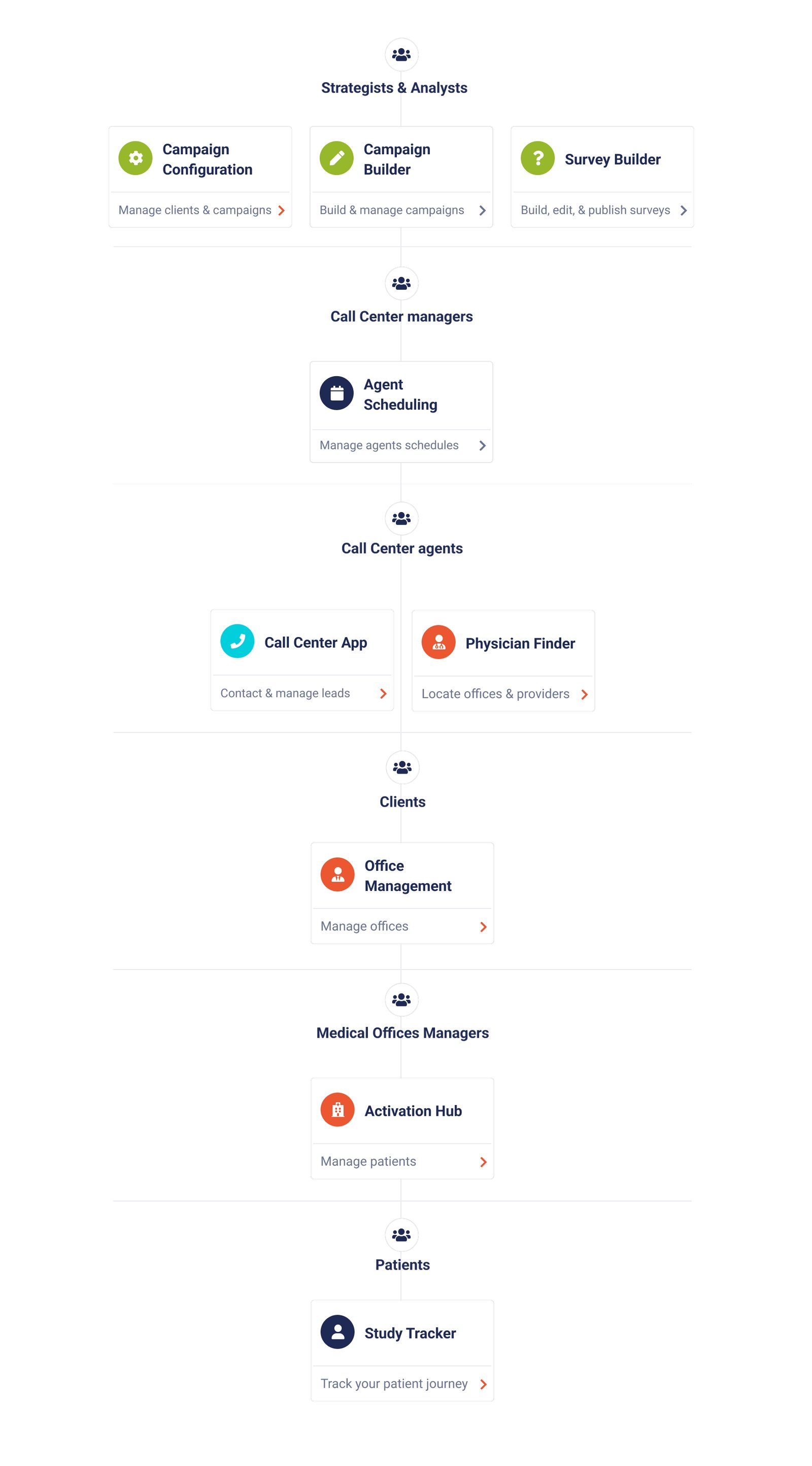
A tool ecosystem that spans strategists, agents, managers, and patients.
The full ecosystem these tools live inside is wider than the three I redesigned. I mapped the whole landscape early — strategists, call center managers, agents, clients, medical office managers, and patients, each with their own application — so that decisions inside Survey and Campaign Builder wouldn't quietly break workflows elsewhere.
Three structural issues, all rooted in the same gap.
The tools were built for solo use in a workflow that was never solo. Disjointed UX across three tools forced strategists to relearn the same patterns in different forms. The lack of a shared platform layer meant campaign and survey context lived in separate worlds — a strategist building a survey couldn't see the campaign it would feed. And limited user control meant strategists routinely needed engineering intervention for changes that should have been self-serve.
Collaboration was happening anyway, just outside the product. Screenshotting, exporting, emailing — strategists had built workarounds because the tools hadn't caught up with the work.
Three tensions that shaped every design choice that came after.
What cognitive walkthroughs revealed about how strategists actually work.
I ran cognitive walkthroughs with six users — a mix of strategists and analysts — observing them complete representative tasks in the existing tools. Five themes emerged.
- Collaboration was happening anyway, just outside the product — screenshots, exports, email threads.
- Survey duplication was a major time sink. Most surveys shared 60–80% structure with a prior one, but every survey was built from scratch.
- Campaigns lacked visual scaffolding — users couldn't see event logic at a glance and frequently lost track of it.
- Logic testing happened in production. Bugs surfaced through downstream Call Center complaints, not before launch.
- The work was inherently iterative with clients, but the tools assumed a single author and a single approval moment.
Three threads, each tackling one of the original problems.
Campaign Configuration became the single source of truth for client and campaign metadata, so the other two tools could read from it instead of asking users to re-enter context. This was the connective tissue the redesign depended on.
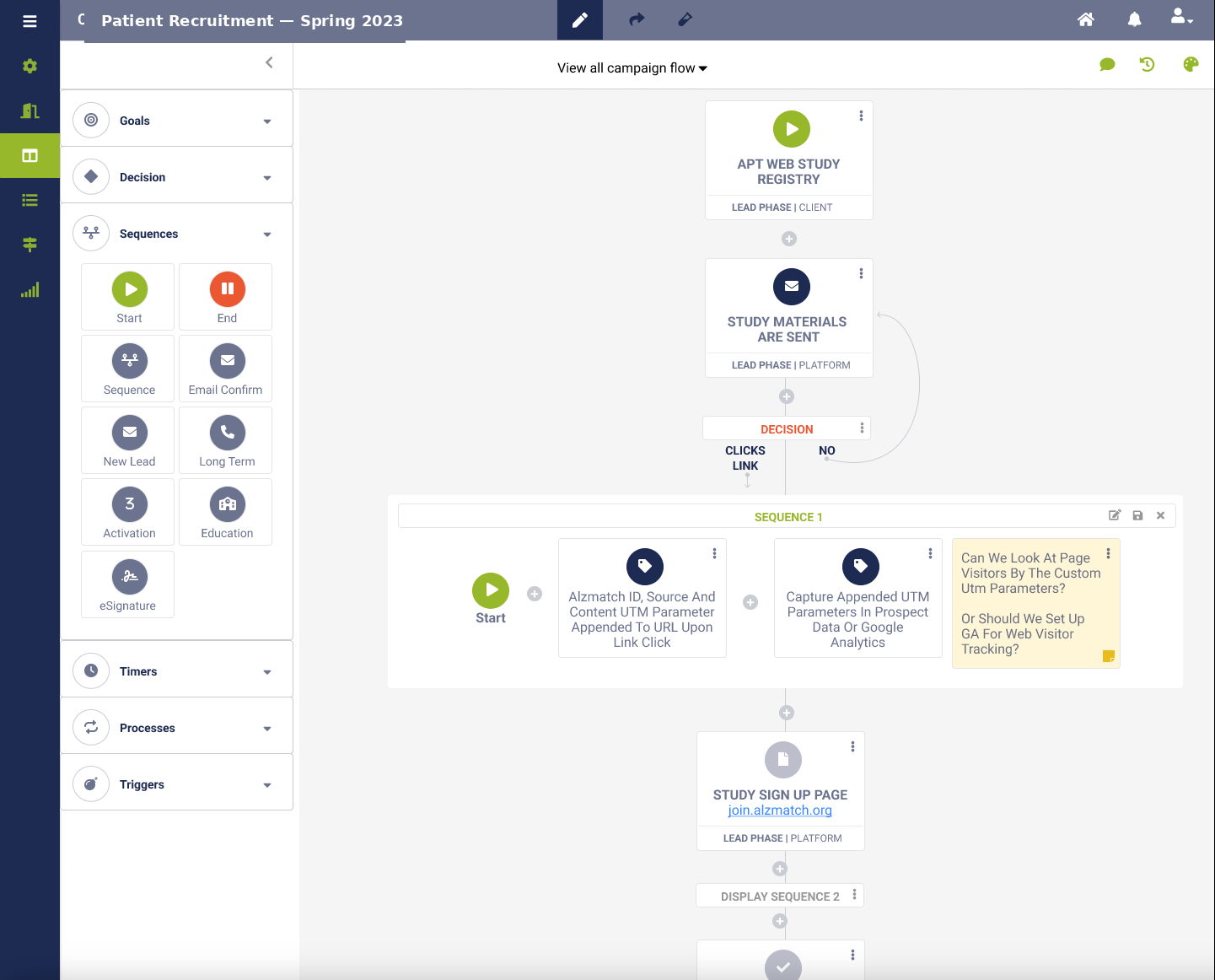
Campaign Builder got collaboration baked in — sharing, commenting, publishing — and event logic surfaced next to the campaign flow rather than buried in modals. The biggest decision here was showing logic visually and inline rather than as a separate logic-editor tab. It cost more layout complexity but matched how users described thinking about campaigns.
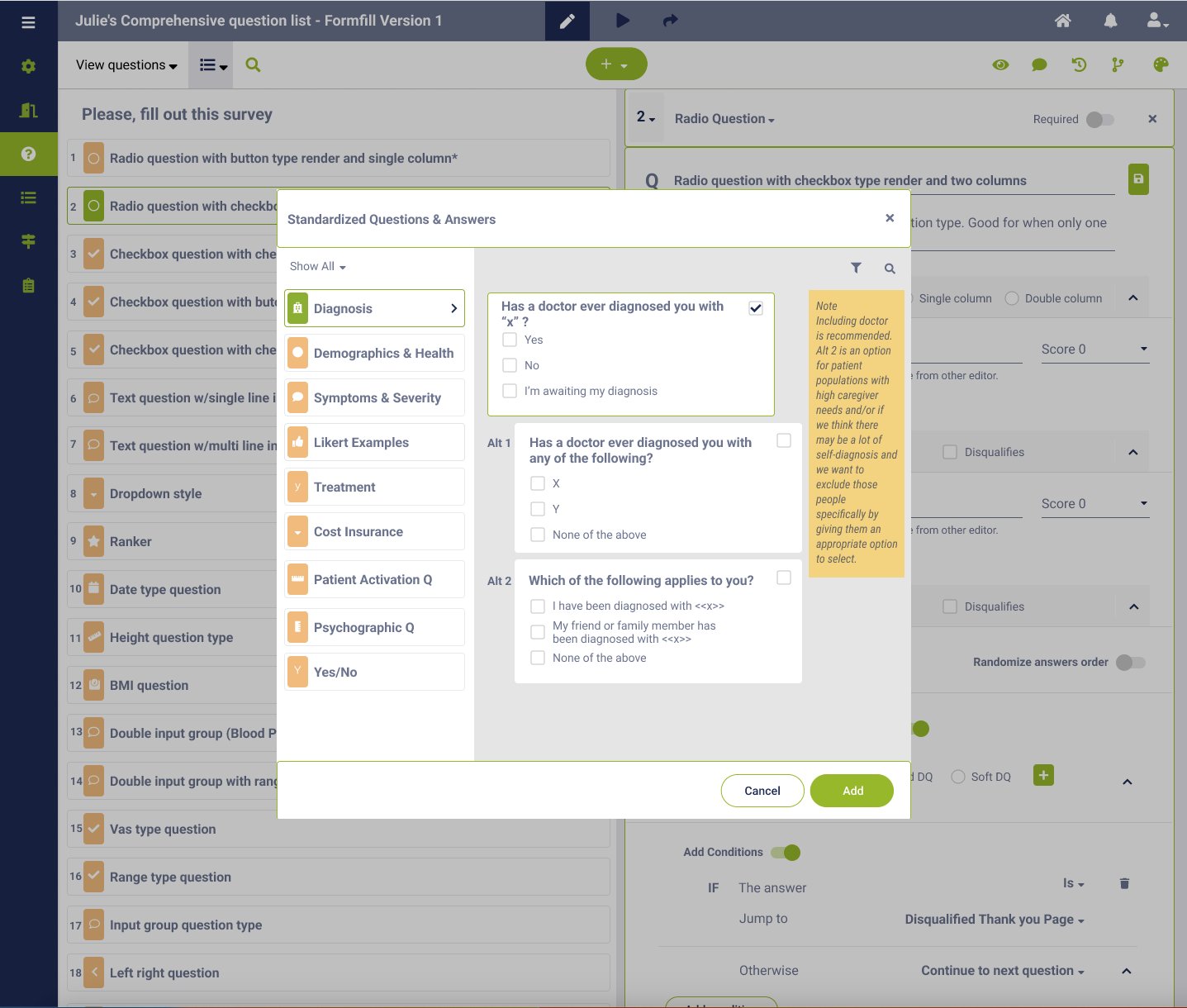
Survey Builder got duplication, copying, and sharing as first-class features; templates for common question types and answer banks; cleaner labeling in survey configuration; and richer disqualifier and conditional logic. I deliberately resisted adding every feature the competitors had — strategists in our context wanted speed of reuse more than novel question types.
Cognitive walkthroughs paired with Maze for asynchronous coverage.
Five to six users per session, plus Maze surveys with prototypes for asynchronous coverage. I synthesized findings in a feedback grid and prioritized changes by frequency × impact rather than recency.
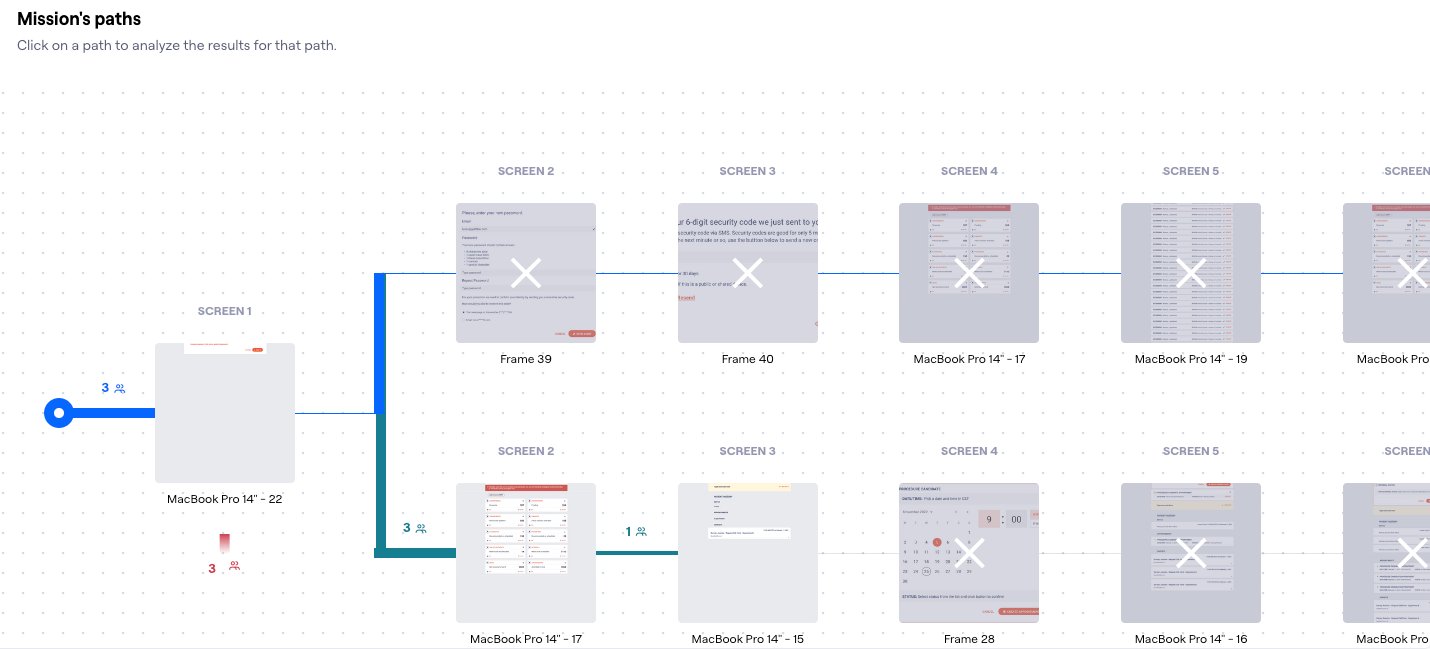
The unified vision is the right north star — but it made every individual review feel speculative, because reviewers couldn't yet experience the connection.
From the project retrospective
Outcome — updated as each tool ships and stabilizes.
Ship the smallest, most-painful tool standalone first.
I should have pushed harder for a sequenced release — Survey Builder first (highest pain, smallest surface), then Campaign Builder, then Configuration as the unifier — rather than designing the unified vision in parallel. If I were running this again, I'd let the wins compound rather than asking stakeholders to believe in a connection they couldn't yet experience.